gym staff roles and member permissions
Gym Staff Roles and Member Permissions: A Practical Access Guide
A practical guide for gym owners and staff to define roles, manage branch access and protect member-permitted training information.
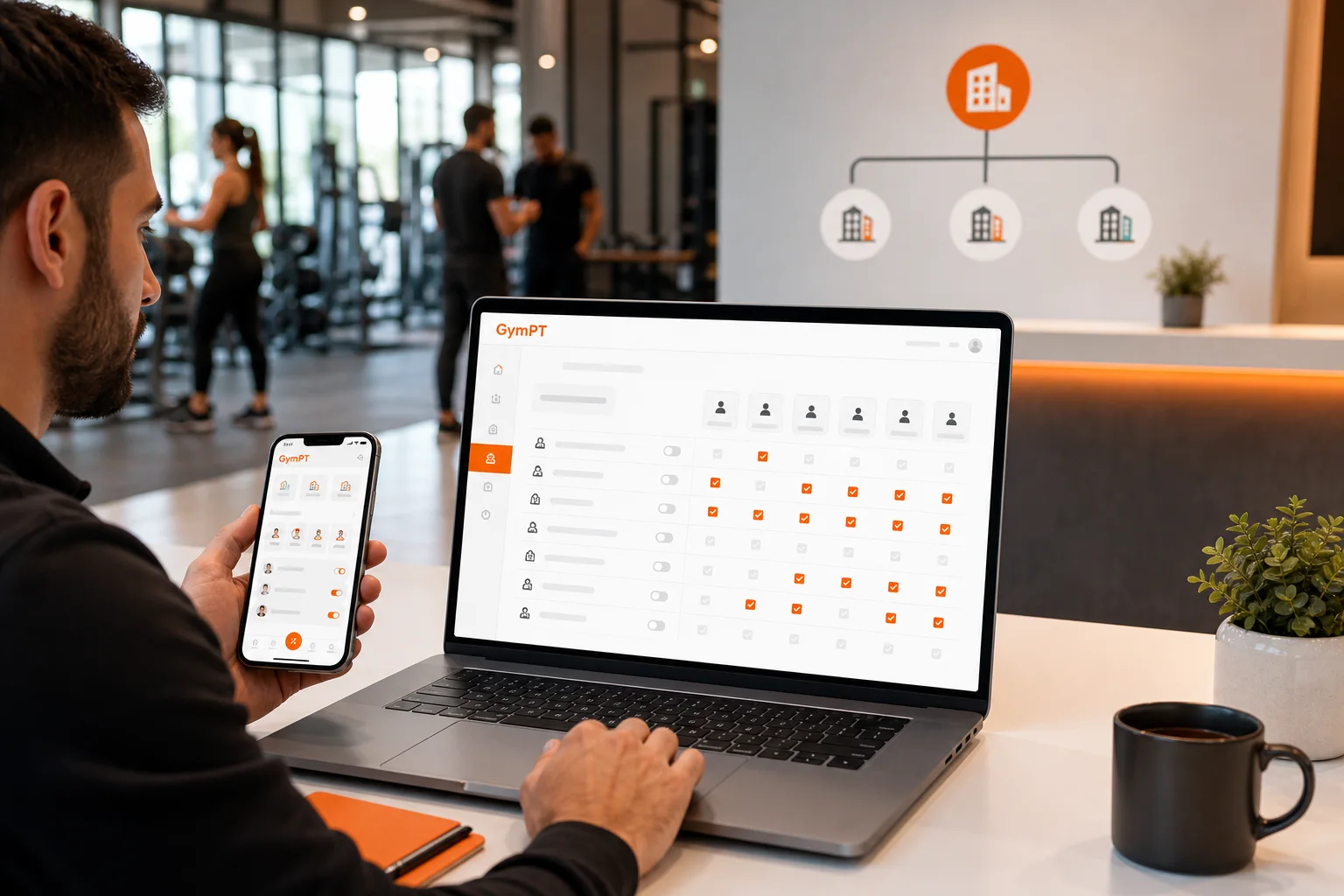
Why gym staff roles and member permissions matter
Gym staff roles and member permissions should make daily work easier without creating unnecessary access to personal training information. When every employee receives the same broad permissions, it becomes difficult to tell who should manage a branch, approve a connection, review a program or respond to a member request.
A better approach is to match access to the job being performed. Owners and administrators may need organization-level controls. Managers usually need operational access for specific branches. Reception staff often need a narrower set of tasks related to member support and approved connections. Personal trainers should only review the client information that each member has chosen to share.
This is the practical principle behind least-privilege access: give each person enough access to complete their work, but no more than necessary. In GymPT, that principle works alongside branch controls, staff roles, approved GymPT connections and member consent.
A simple role model for gym staff permissions
Before configuring access, write down the responsibilities of each role. The exact internal job titles may vary between gyms, but a clear model helps prevent accidental over-sharing and makes staff changes easier to manage.
Owner: organization-level responsibility
The owner is responsible for the gym’s overall operating model. This role may need to oversee accessible branches, appoint administrators, review high-level staff assignments and decide how the gym handles approved connections with members and personal trainers.
Owner-level access should be reserved for people who are accountable for the organization, not simply for the longest-serving employee. If an owner has multiple branches, the role should still be used carefully. A person who only manages one location may not need visibility or control across every branch.
- Define which branches the organization can manage.
- Approve or review the people responsible for administration.
- Set expectations for member consent and staff access.
- Review whether staff permissions remain appropriate as responsibilities change.
Admin: configuration and staff management
An admin typically handles the practical setup of the gym’s GymPT environment. This may include assigning staff roles, maintaining branch access and supporting approved GymPT connections according to the gym’s operating policy.
Admin access is powerful because it can affect other users’ permissions. For that reason, it should not be given automatically to every manager or trainer. Use named accounts rather than shared logins, and keep a record of who is responsible for changes.
An admin does not need unrestricted access to every member’s training information simply because they can manage configuration. Administrative control and content access are separate decisions. A staff member may be able to manage roles while still lacking access to programs, workout records or notes that members have not shared.
Manager: branch-level coordination
A manager’s responsibilities are usually tied to one or more assigned branches. They may coordinate staff, maintain local workflows and help ensure that approved member and trainer connections are handled consistently.
Branch access should follow the manager’s real area of responsibility. If a manager works at the Downtown branch, there is usually no operational reason to give that person control over every other location. When managers cover multiple branches, grant access deliberately and review it when the assignment ends.
- Limit management access to assigned branches.
- Use approved connections rather than informal or shared access.
- Escalate organization-wide changes to an owner or admin.
- Do not assume branch management includes access to all member-shared training content.
Reception: focused member support
Reception staff are often the first point of contact for members, but they generally do not need the same permissions as a manager or administrator. Their access should support the tasks they actually perform, such as helping a member understand the connection process or directing a request to the appropriate trainer or manager.
A narrow reception role reduces confusion and protects privacy. Reception staff should not be expected to inspect personal workout notes, review private programs or make decisions about a member’s training plan. If a member asks for help with training information, the request should be routed to the connected personal trainer or the member directly.
Separate gym management from member training data
One of the most important boundaries is the difference between managing a gym workspace and viewing an individual member’s training information.
Gym management may involve branches, staff roles and approved connections. Member training data may include programs, workout records and notes. These are not automatically the same permission. A gym should not treat a staff role as a blanket authorization to view everything associated with every member.
In GymPT, personal trainers review only the programs, workout records and notes that their clients permit them to share. Optional weekly AI summaries also require the appropriate grants. This means a connection between a gym, trainer and member should be handled as a permission-based relationship rather than as unrestricted organization-wide access.
For a practical example, imagine a member connected to a trainer at one branch. The trainer may review the member’s shared program and workout records to prepare a thoughtful follow-up. A reception employee at that branch does not automatically receive the same access. A manager may help coordinate the approved connection, but that does not mean the manager can open private notes that the member has not shared.
For more detail on this workflow, see Gym Member and Personal Trainer Connections: A Gym Workflow Guide.
Use member consent as a separate control
Role-based access answers one question: what can this type of staff member do? Member consent answers another: what has this individual member chosen to share, and with whom?
Both controls matter. A trainer may be authorized to support clients, but that authorization should still depend on the member’s approved connection and sharing choices. Likewise, a gym admin may manage staff access without receiving unrestricted access to member training records.
Build the following habits into staff training:
- Explain that a member chooses which training information to share.
- Check that a connection is approved before discussing shared records.
- Do not copy private notes into informal staff channels.
- Ask the member to update sharing permissions when their training relationship changes.
- Route sensitive questions to the connected trainer or the appropriate GymPT workflow.
Consent should also be reviewed when a trainer leaves the gym, changes branches or stops working with a member. A former staff relationship should not remain an assumed reason for continued access.
Design a least-access workflow for common gym tasks
Instead of beginning with software settings, begin with real tasks. List the action, the person who performs it, the branch involved and the information required. Then grant only the permissions needed for that action.
Task: add or update a staff member
This should normally be handled by an owner or admin. The decision should include the person’s role, branch scope and start or end date. Avoid using a shared administrator account to make the change, because named accounts create clearer accountability.
Task: support an approved member connection
Reception or a manager may help direct the member through the connection process, depending on the gym’s policy. They do not need access to every record involved in the member’s training. The member and connected trainer should remain responsible for the training relationship.
Task: review a client’s training progress
This belongs with the personal trainer and depends on the member’s sharing permissions. A trainer can use permitted programs, workout records and notes to guide a human review. Gym staff who are not part of that approved relationship should not treat general branch access as permission to inspect the records.
GymPT can also support a trainer’s program workflow: the trainer may prepare a proposal manually or with optional AI assistance in the web workspace, and the member decides whether to review, save and use it. The gym’s role is to support an appropriate connection, not to override the member’s decision.
See Personal Trainer Workout Program Proposals: A Better Client Review Workflow for a closer look at the review process.
Task: change a branch assignment
An owner or admin should update the person’s accessible branches when their responsibilities change. Managers should not retain access to a former branch indefinitely, and reception staff should not be given multi-branch authority simply because they are covering a shift.
How to review gym staff roles and member permissions
Access reviews do not need to be complicated. A short recurring review can identify outdated permissions before they become a problem.
- List active staff. Confirm that every account belongs to a current person rather than a shared login or former employee.
- Confirm each role. Check whether the person is still an owner, admin, manager or reception user.
- Review branch access. Remove locations that are no longer part of the person’s responsibilities.
- Check approved connections. Confirm that trainer and member relationships still reflect the member’s wishes.
- Separate configuration from content. Make sure staff can perform their assigned tasks without unnecessary access to training records.
- Document changes. Record who approved role or branch changes and when they took effect.
Review access after staff turnover, promotions, branch transfers and changes in trainer-client relationships. It is easier to grant a specific permission later than to recover from a habit of giving everyone broad access.
Common mistakes to avoid
- Giving every manager admin access: A manager may need branch coordination without permission to change organization-wide settings.
- Using one shared staff login: Shared accounts make accountability and access reviews much harder.
- Assuming gym membership equals data access: A staff role does not automatically authorize access to a member’s private training information.
- Keeping former staff connected: Remove or update access when an employee leaves, changes role or moves branches.
- Treating AI as a permission shortcut: Optional AI support should work only with the information and grants already permitted. It does not create unrestricted access or replace professional judgment.
A practical standard for gym teams
The best gym staff permission model is understandable enough to explain during onboarding and specific enough to apply during a busy shift. Owners and admins manage the organization’s structure. Managers coordinate assigned branches. Reception staff support limited member-facing tasks. Trainers work with the records their clients intentionally share.
That structure protects member choice while giving gym teams a workable way to manage branches, staff roles and approved connections. When access is reviewed regularly and kept proportional to each job, GymPT can support collaboration between members, personal trainers and gyms without turning gym-wide administration into unrestricted access to personal training data.
For broader multi-location planning, read Gym Branch Management App: A Practical Workflow for Multi-Location Gyms. For a trainer-focused review process, see Personal Trainer Client Progress Tracking: A Weekly Review Workflow.