gym member and personal trainer connections
Gym Member and Personal Trainer Connections: A Gym Workflow Guide
A practical guide for gym owners and staff to help members discover personal trainers, approve connections and share training information on their terms.
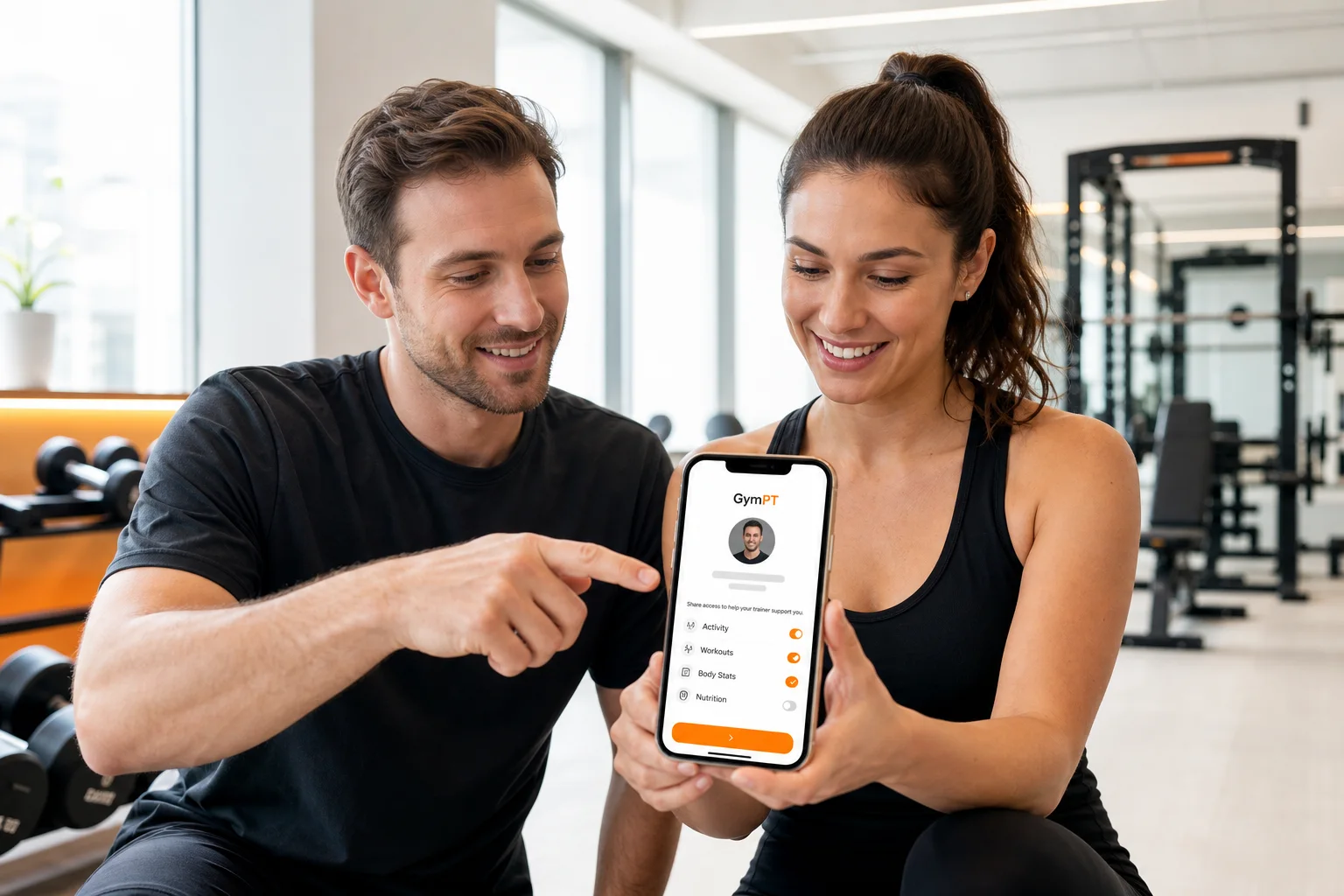
Strong gym member and personal trainer connections do not begin with giving every staff member access to every member record. They begin with choice, clarity and a simple way for the right people to work together.
For gym owners and staff, the goal is practical: help members find suitable trainers, make approved connections easy to manage and give personal trainers enough permitted information to prepare useful follow-up. GymPT supports this workflow while keeping the member in control of what is shared.
This guide explains how a gym can structure member onboarding, trainer discovery, permission requests and ongoing collaboration without turning the gym into an unrestricted health-data dashboard.
What gym member and personal trainer connections should accomplish
A connection should create a clear working relationship between a member and a real personal trainer. It should not automatically expose a member’s complete training history to the entire gym or to every trainer on staff.
A well-designed connection workflow helps each person understand:
- Which gym branch or staff team is involved
- Which personal trainer the member is choosing to connect with
- What programs, workout records or notes the member has permitted the trainer to review
- Whether the trainer is preparing guidance, reviewing existing work or proposing a new program
- How the member can change or end the connection later
This permission-based approach is useful operationally as well as ethically. It reduces confusion about who is responsible for follow-up, makes trainer access easier to explain and gives members a more comfortable introduction to professional support.
Build a simple gym member trainer onboarding path
Gym staff do not need a complicated process to help a member get started. A consistent onboarding path can be organized into five steps.
1. Introduce the available support
During a tour, new-member conversation or training consultation, explain that members may use GymPT to maintain their own training records, connect with a personal trainer and review a trainer’s program proposal. Make it clear that the member decides whether to create a connection and what information to share.
This is especially important for members who are unsure whether they want a trainer. They can begin with a manual program, keep records and explore trainer options without being pushed into a specific relationship.
2. Help the member identify a suitable trainer
Trainer discovery should be based on practical fit rather than a generic “best trainer” label. Staff can help a member consider:
- Training goals and preferred session style
- Experience level and exercise confidence
- Availability and branch access
- Preferred communication and review habits
- Whether the member wants hands-on coaching, program review or a structured plan
The right match is often the trainer who can communicate clearly and work within the member’s schedule. A simple introduction can be more useful than sending a member a long list of staff profiles without context.
3. Let the member approve the connection
The member should initiate or approve the connection. Gym staff can explain the steps, but they should not treat a general gym membership as permission for a trainer to review private training information.
Once the member approves a connection, the trainer can work with the information the member has permitted. This keeps the relationship specific: one member, one trainer and a defined set of shared training material.
4. Confirm the trainer’s role
Before follow-up begins, clarify whether the trainer will review a current program, look at workout records and notes, prepare a proposal or provide ongoing coaching. Clear expectations help prevent a connection from becoming inactive or misunderstood.
5. Schedule a useful next action
Every new connection should lead to one concrete next step. For example, the trainer may review the member’s permitted records, send a message requesting more context or prepare a draft program proposal in the web workspace.
A defined next action is more effective than a vague instruction to “check in sometime.”
Use permission-based fitness data sharing as a working rule
Permission-based fitness data sharing means that access follows the member’s decision. A trainer may review only the programs, workout records and notes that the client has allowed them to see. If a member has not granted access to a particular item, the trainer should work from the information available or ask the member to share more.
For gym owners, this rule should be part of staff training. A short internal policy can remind staff to:
- Explain what a connection allows before requesting approval
- Avoid promising that a trainer can see all member information
- Use only the data relevant to the training relationship
- Ask the member for additional permission when more context is needed
- Keep branch and staff access aligned with the gym’s approved setup
This structure also helps gyms communicate accurately. GymPT is not intended to provide unrestricted gym-wide access to member health data or an open-ended AI analysis of every member. Access depends on the approved connection and the permissions granted by the client.
How trainers can turn an approved connection into useful coaching
Once the member and trainer are connected, the trainer can follow a professional review process rather than immediately replacing the member’s routine.
Start with the member’s existing records
Review the permitted program, completed workouts and notes first. Look for practical information such as exercise selection, training frequency, completed sets and repetitions, reported difficulty and consistency over time.
Evidence-based training guidance generally supports regular resistance training for major muscle groups, with progression adapted to the person’s goals, experience and ability to follow the plan. Current guidance also emphasizes that consistency and individualization matter more than unnecessary complexity.
That does not mean every member needs the same schedule. A trainer should interpret the available information in context and identify the smallest useful adjustment.
Ask focused follow-up questions
If the records do not explain why a member is missing sessions or struggling with a movement, the trainer can ask targeted questions. Examples include:
- Was the session too long for your current schedule?
- Did the equipment or exercise setup create a problem?
- Was the planned effort appropriate for your current experience?
- Would a simpler progression make the routine easier to repeat?
Good questions improve the quality of the next plan without assuming facts that were never shared.
Prepare a program proposal for member review
A trainer can prepare a program proposal manually or with optional AI support in the GymPT web workspace. The proposal should reflect the member’s stated goal, available equipment, realistic schedule and permitted training history.
AI can assist with organizing ideas or drafting a starting point, but the trainer remains responsible for professional judgment. The member should review the proposal before saving and using it. A draft is not automatically an active program, and a trainer’s suggestion does not remove the member’s right to decide.
Use weekly summaries only when properly granted
Where available, weekly AI summaries require the appropriate permissions. They should be treated as a review aid, not as a diagnosis or a replacement for trainer judgment. The trainer should compare any summary with the underlying records and the member’s own feedback.
Give gyms a clear branch and staff workflow
For multi-branch gyms, the operational challenge is keeping access organized. GymPT allows gyms to manage accessible branches, staff roles and approved GymPT connections. This gives owners and administrators a way to define who can participate in the workflow without assuming that every staff member should see every connection.
A practical setup may look like this:
- Define branch access: Confirm which locations each staff member can manage or support.
- Assign staff roles: Give administrators, managers and trainers responsibilities that match their real work.
- Approve gym connections: Review and maintain the gym’s approved relationships inside the platform.
- Keep trainer relationships specific: Connect members with the trainer they selected rather than creating broad access by default.
- Review inactive connections: Encourage staff to clarify whether a connection is still active when a trainer changes role or a member requests a different form of support.
This approach supports accountability without suggesting that GymPT replaces a gym’s broader operational systems. The platform’s relevant role here is connecting members, trainers and approved gym structures around training information that the member has chosen to share.
Common mistakes to avoid
Assuming membership equals data access
A member joining a gym does not automatically mean every trainer or staff member should see their programs, workout records or notes. Make the connection and permission steps explicit.
Making AI the center of the relationship
Optional AI can help with planning and summaries, but it should support a real trainer’s review. Lead with the professional relationship and use AI only where it adds practical value.
Sending proposals without member review
A trainer proposal should remain a proposal until the member reviews and saves it. This preserves member choice and prevents an unapproved plan from being treated as the active routine.
Overloading the first interaction
Do not ask a new member to complete an unnecessarily complex setup. Start with the goal, preferred trainer relationship and next action. More detail can be added as the connection develops.
A repeatable GymPT workflow for your team
Gym owners can turn the process into a short staff checklist:
- Introduce GymPT as an optional way to organize training and connect with a personal trainer.
- Help the member identify a trainer based on goals, schedule and communication fit.
- Make sure the member approves the connection.
- Confirm which programs, workout records and notes the trainer may review.
- Ask the trainer to complete one clear next action.
- Have the trainer review the permitted records before changing the plan.
- Prepare a manual or AI-assisted proposal when appropriate.
- Let the member review and decide whether to save and use it.
- Maintain branch access, staff roles and approved gym connections.
For additional guidance on supporting members with flexible training options, see GymPT’s fitness program builder app guide and guide to virtual personal trainer support. If your staff often work with members who train in short sessions, the 30 minute gym workout plan guide can also provide useful context. For a broader explanation of responsible AI-assisted coaching, review what an AI personal trainer can and cannot do.
Final takeaway
The best gym member and personal trainer connections are voluntary, specific and easy to understand. Members should be able to discover a trainer, approve the relationship and decide what to share. Trainers should be able to review permitted records, prepare thoughtful proposals and use optional AI without giving up professional judgment. Gym owners should be able to manage branches, staff roles and approved connections without creating unrestricted access.
With that structure in place, GymPT can support a more connected training experience while keeping the human relationship—and the member’s choice—at the center.