gym branch management app
Gym Branch Management App: A Practical Workflow for Multi-Location Gyms
A practical guide for gym owners and staff who need clearer branch access, better collaboration with personal trainers and permission-based member data sharing.
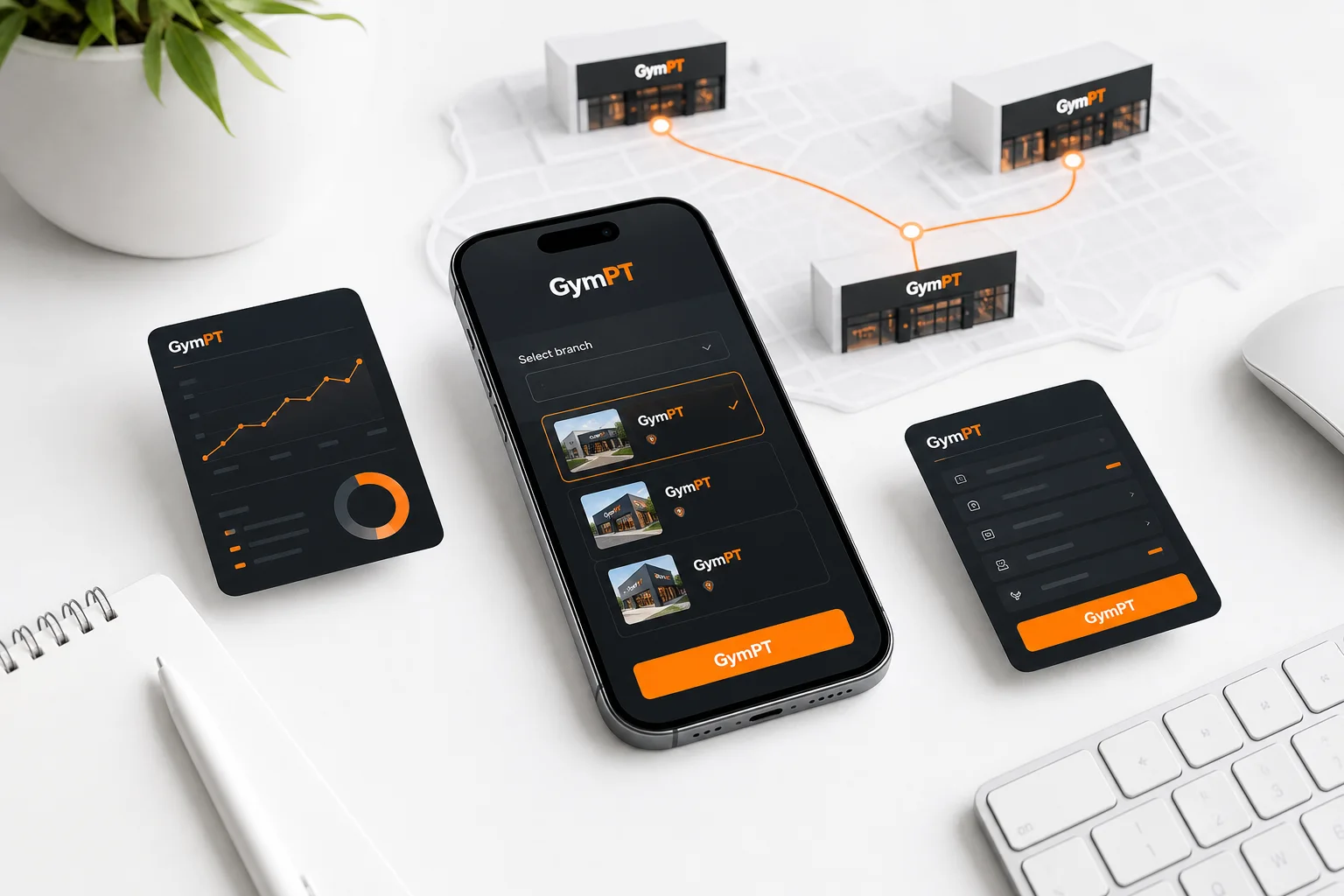
Managing one gym is challenging enough. Managing several branches adds another layer of complexity: staff members may work at different locations, personal trainers may support clients across branches, and members may expect a consistent experience wherever they train.
A gym branch management app can help organize this work, but only when branch access, staff responsibilities and member permissions are clearly defined. The goal is not to give everyone access to everything. The goal is to make the right information available to the right person at the right time.
GymPT supports this type of workflow by connecting members, real personal trainers and gyms. Gyms can manage accessible branches, staff roles and approved GymPT connections, while members remain in control of which programs, workout records and notes they share with trainers.
What a gym branch management app should organize
For a multi-location gym, branch management is more than maintaining a list of addresses. It is about creating a reliable operating context for people, responsibilities and approved relationships.
A useful workflow should help your team answer four basic questions:
- Which branch or branches can this staff member access?
- What responsibilities does this person have?
- Which members or trainers are connected through an approved relationship?
- What information has the member specifically permitted others to review?
These questions are closely related. A staff member may have access to a branch without having access to every member’s training information. A trainer may be approved to work with a client without seeing records that the client has not shared. Separating these concepts creates a clearer and more privacy-aware system.
1. Start with branch context, not a single global view
When a gym operates in multiple locations, every action should be understood in context. A program proposal, trainer connection or staff task may relate to one branch, several accessible branches or a member who trains at more than one location.
Before setting up your workflow, define how your organization thinks about branches:
- List each active branch using a consistent name.
- Identify which staff members need access to each branch.
- Separate location-level responsibilities from organization-level responsibilities.
- Review access when someone changes role, location or employment status.
- Use branch context when discussing trainer relationships and member support.
This helps reduce ambiguity. For example, a regional manager may need access to several branches, while a local team member may only need access to the branch where they work. The exact permissions should reflect the person’s responsibilities rather than convenience.
Good access design follows a simple principle: people should have the access necessary to complete their assigned work, and no more than that. This is commonly described as least privilege in information-security guidance.
2. Match staff roles to real responsibilities
Staff roles are most useful when they describe what a person actually needs to do. Avoid creating one broad role for every employee if your organization has different operational responsibilities.
For a gym branch workflow, consider documenting responsibilities such as:
Branch-level staff
These team members may need access related to a specific branch and its approved connections. Their work may involve supporting local trainer relationships, helping members understand the available workflow and coordinating with the appropriate staff members.
Multi-branch staff
Some people may work across several locations. Their access should reflect those accessible branches rather than automatically extending to every branch in the organization.
Administrative or leadership staff
Leadership roles may require broader branch visibility for operational coordination. Even then, broad branch access should not automatically mean unrestricted access to private member training records.
The important distinction is between organizational visibility and member data access. A gym may need to know which branches and staff connections are active without needing to read every program, workout record or personal note associated with a member.
3. Use approved connections instead of informal access
In a busy gym, relationships can easily become informal. A member may speak with a trainer at one branch, continue training at another and ask a different staff member for help. Without a clear connection process, it becomes difficult to know who is responsible for follow-up.
Approved GymPT connections provide a more deliberate alternative. The gym can manage which connections are recognized within its workflow, while the member still decides what training information to share.
A practical connection process can look like this:
- Identify the relationship. Confirm which member, trainer and branch are involved.
- Confirm the purpose. For example, the trainer may be helping with program design, reviewing workout records or preparing a proposal.
- Confirm member permission. The member chooses which programs, records and notes the trainer may review.
- Keep branch context visible. Record the branch or branches relevant to the relationship.
- Review inactive relationships. Remove or update connections when the trainer relationship changes.
This approach is better than treating the gym as a single unrestricted pool of member information. It supports collaboration while respecting the member’s control over shared training data.
4. Build a permission-based trainer workflow
Personal trainers need useful information to provide thoughtful coaching, but they do not need unrestricted access to a client’s entire history. In GymPT, trainers review only the programs, workout records and notes that clients permit them to share. Weekly AI summaries also depend on the appropriate permissions being granted.
For gym owners and managers, this creates a clear operating rule: the gym connection does not replace the member’s sharing decision.
A permission-based follow-up workflow might include:
- The trainer checks which records the member has shared.
- The trainer reviews recent training activity and notes within that permitted scope.
- The trainer identifies a practical adjustment, question or progression to discuss.
- The trainer prepares a program proposal manually or with optional AI support in the web workspace.
- The member reviews the proposal and decides whether to save and use it.
This keeps professional judgment at the center of the process. AI can help a trainer organize ideas or prepare a draft, but it should not be treated as a replacement for the trainer’s review or the member’s decision.
5. Make program proposals part of the branch workflow
Many gyms focus on connecting a member with a trainer but overlook what happens next. A connection becomes more valuable when it supports a repeatable program-review process.
For example, a trainer working with a member at Branch A may notice that the member is training at Branch B during part of the week. Instead of creating disconnected advice, the trainer can prepare a program proposal that reflects the member’s goals, available training context and permitted records.
The proposal workflow should be explicit:
- Review the member’s permitted training information.
- Clarify the objective of the next training phase.
- Draft the program manually or use optional AI assistance as a starting point.
- Check exercise selection, schedule, progression and practical fit.
- Send the proposal for member review.
- Let the member decide whether to save and use it.
This process gives the member a meaningful review point. A proposal is not automatically an active program simply because a trainer prepared it. The member remains part of the decision.
For more detail on this workflow, read Personal Trainer Workout Program Proposals: A Better Client Review Workflow.
6. Keep member records separate from gym-wide assumptions
A branch management system should improve coordination without encouraging unnecessary access. Gym owners should be especially careful not to assume that a staff role, branch relationship or gym affiliation grants access to all member health or training information.
Use these distinctions when training your team:
- Branch access identifies where a person can work within the gym workflow.
- Staff role describes the responsibilities associated with that access.
- Approved connection identifies a recognized relationship between the gym, trainer and member.
- Member permission determines which programs, records and notes may be reviewed.
This structure supports data minimization: use only the information needed for the task. It also makes conversations with members easier because staff can explain exactly what is shared and why.
7. Create a simple weekly branch review
Branch management does not need to become a complicated administrative project. A short weekly review can catch many common problems before they affect the member experience.
Ask your team to review:
- Are staff members assigned to the correct accessible branches?
- Do role assignments still match current responsibilities?
- Are approved trainer connections still active and appropriate?
- Are there member relationships that need clarification?
- Are trainers reviewing only the records clients have permitted?
- Are proposed programs clearly marked for member review rather than assumed to be active?
When a staff member changes branch or role, update access promptly. When a trainer-client relationship ends, update the approved connection. When a member changes what they share, respect the new permission boundary.
8. Choose a workflow that supports people, not just locations
The best gym branch management app is not simply a directory of locations. It should help your organization connect the right people while keeping responsibilities and permissions understandable.
For gym owners and staff, the practical model is:
- Organize accessible branches.
- Assign staff roles based on real responsibilities.
- Manage approved GymPT connections.
- Keep member sharing decisions separate from gym access.
- Support trainers as they review permitted records and prepare proposals.
- Let members review and decide whether to save a proposed program.
GymPT is designed around this connected approach. Core training use does not require a paid subscription, and a free account can save records and connections. Members can build a manual program without AI credits, request optional AI assistance or review a personal trainer’s proposal. Optional AI actions and eligible Premium features have their own requirements, which are shown before use.
For a related view of how gyms, members and trainers can work together, read Gym Member and Personal Trainer Connections: A Gym Workflow Guide. You can also explore Personal Trainer Client Progress Tracking: A Weekly Review Workflow and Fitness Program Builder App: 9 Features That Make a Plan Usable.
Final takeaway
Multi-location gyms need clarity more than complexity. A strong branch workflow makes it obvious which branches staff can access, what each role is responsible for, which trainer relationships are approved and what information a member has chosen to share.
That combination creates a more reliable experience for gym teams, trainers and members. It also keeps technology in the right role: organizing collaboration and supporting professional decisions without replacing human judgment or giving the gym unrestricted access to private training information.