custom workout app
Custom Workout App: 9 Signs It Actually Fits Your Training
A custom workout app should do more than display exercises. Learn how to evaluate personalization, equipment matching, progress tracking, and coaching before you commit.
Searching for a custom workout app usually means a static routine is no longer enough. You may have a specific goal, limited training days, changing equipment, or a schedule that makes rigid plans difficult to follow. The right app should turn those details into a practical training system—not simply place a generic list of exercises on your phone.
A good custom workout app helps you decide what to do, adjust when circumstances change, record what happened, and use that information to make future sessions more useful. That makes it different from downloading a PDF and hoping the plan continues to fit.
What should a custom workout app personalize?
Personalization is more than asking whether you want to build muscle or lose fat. A useful app should consider several variables that affect whether you can train consistently and progress over time.
- Your primary goal: strength, muscle growth, general fitness, conditioning, or a combination.
- Your experience level: beginner, intermediate, or advanced training history.
- Your schedule: available days, session length, and preferred training frequency.
- Your equipment: a full gym, home weights, resistance bands, machines, or bodyweight only.
- Your preferences: favorite movements, exercises you dislike, and training styles you enjoy.
- Your recent performance: completed sets, repetitions, loads, effort, and missed sessions.
The best plan is not necessarily the most complicated one. Current resistance-training guidance emphasizes consistency, gradual progression, and matching training variables to the goal. It also supports effective training with bodyweight, bands, and home-based equipment, so a quality app should not assume everyone has access to the same gym.
9 signs you have found a genuinely custom workout app
1. It starts with a meaningful setup
A strong onboarding process asks questions that influence your training: your goal, experience, schedule, equipment, and preferred workout structure. If an app only asks for your age and then serves the same routine to everyone, its personalization is probably limited.
Look for a setup that feels like the beginning of a coaching conversation. You should understand why the app is recommending a certain split, session length, or exercise selection.
2. It builds around your available equipment
Equipment matching is one of the clearest tests of customization. A plan that recommends barbell squats when you only have a pair of dumbbells creates friction before the workout even begins.
A more practical system can build alternatives around the tools you actually use. For example, it may select dumbbell, cable, machine, band, or bodyweight variations depending on your training environment. That matters when you move between a commercial gym and home workouts, or when a piece of equipment is occupied.
3. It fits your real weekly schedule
A plan is only useful if you can complete it. Adults are generally advised to include muscle-strengthening activity on at least two days each week, but the best weekly structure depends on your availability and recovery. Some people can train five days; others need two or three efficient full-body sessions.
Choose an app that lets you change training days or session duration without forcing you to restart. If your schedule changes, the plan should adapt rather than making you feel that one missed workout has ruined the week.
4. It adjusts after you provide feedback
Customization becomes more valuable after the first workout. Did the session feel too easy? Was the prescribed load unrealistic? Did you run out of time? Could you not perform an exercise comfortably?
An adaptive workout plan should give you a way to record that feedback and use it to improve future recommendations. This does not mean every workout needs to change dramatically. Often, a useful adjustment is small: changing a load, adding a rest period, replacing an exercise, or reducing volume after a difficult week.
5. It supports progressive overload without guesswork
Progressive overload means gradually increasing the challenge placed on your muscles. That can involve more weight, additional repetitions, more sets, better technique, or a harder variation. A custom workout app should help you see when progression is appropriate instead of telling you to increase everything every session.
Look for clear targets such as a repetition range, suggested effort, or a progression rule. You should know what to do when you complete all planned repetitions with good form—and what to do when you do not.
6. It includes useful workout tracking
Tracking is not valuable because it creates more data. It is valuable when the data helps you make a better decision next time.
At minimum, a workout tracking app should make it easy to record:
- sets and repetitions;
- weight or resistance used;
- completed, skipped, or substituted exercises;
- session duration;
- personal notes or perceived effort.
Progress insights can then reveal patterns that are difficult to notice from memory. You may discover that your performance improves with longer rest, that a certain split is difficult to sustain, or that you are progressing steadily even when day-to-day workouts vary.
7. It offers coaching context, not just instructions
Exercise lists are easy to find. What many people need is decision support: how to warm up, how long to rest, what to do if a station is busy, or how to choose a reasonable starting load.
An AI coach chat can make an app more useful when it explains training choices in plain language. It should help you understand the plan and make practical substitutions, while staying within the limits of fitness guidance. It should not present itself as a medical professional or diagnose pain and injuries.
8. It makes consistency easier
Research on exercise participation repeatedly points to practical barriers such as inconvenient timing, low confidence, cost, and uncertainty about equipment. A custom workout app cannot remove every barrier, but it can reduce unnecessary decision-making.
Helpful features include a clear next-workout view, reminders, exercise demonstrations, quick logging, flexible scheduling, and a record of completed sessions. These features may appear simple, but reducing friction is often more valuable than adding advanced training theory.
9. It gives you control over the plan
Personalized does not mean locked. You should be able to understand and influence your routine. Look for options to change exercises, adjust available equipment, modify workout frequency, and review your progress.
The app should support your judgment rather than make you feel dependent on an opaque algorithm. A recommendation is more useful when you can see how it relates to your goal and current training history.
Custom workout app vs. a static PDF plan
A PDF can be a good choice when you already know your preferred routine, have stable equipment, and do not need regular adjustments. It is simple, portable, and often easy to reference.
A custom workout app becomes more useful when your circumstances are variable. Choose the app route if you:
- change your training days from week to week;
- use different equipment at home and in the gym;
- want exercise substitutions without rebuilding the entire plan;
- need reminders and fast workout logging;
- want progress insights instead of relying on memory;
- are unsure how to progress from one session to the next;
- value access to coaching-style explanations.
The difference is not that one format is automatically better. The difference is whether you need a document or an ongoing system. For a deeper comparison, read Smart Workout App vs. Static Plan: What Should You Choose?.
How to evaluate a custom workout app before committing
Use a short, practical test instead of judging an app by its feature list alone.
- Enter your real situation. Use your actual goal, available days, session length, and equipment.
- Inspect the first week. Check whether the exercises and volume look realistic for your experience.
- Test one substitution. See whether the app can replace an unavailable or unsuitable exercise without creating confusion.
- Complete and log a workout. Notice how long tracking takes and whether the records are useful.
- Ask a coaching question. Look for a clear explanation rather than a vague motivational answer.
- Review the next recommendation. Does your completed workout influence what comes next?
- Check your control. Confirm that you can change days, exercises, equipment, or goals when needed.
If you are comparing several options, our AI Fitness App Guide covers the broader features to look for. For strength-focused training, see AI Strength Training App: How to Use AI for Smarter, More Consistent Workouts.
What GymPT brings to personalized training
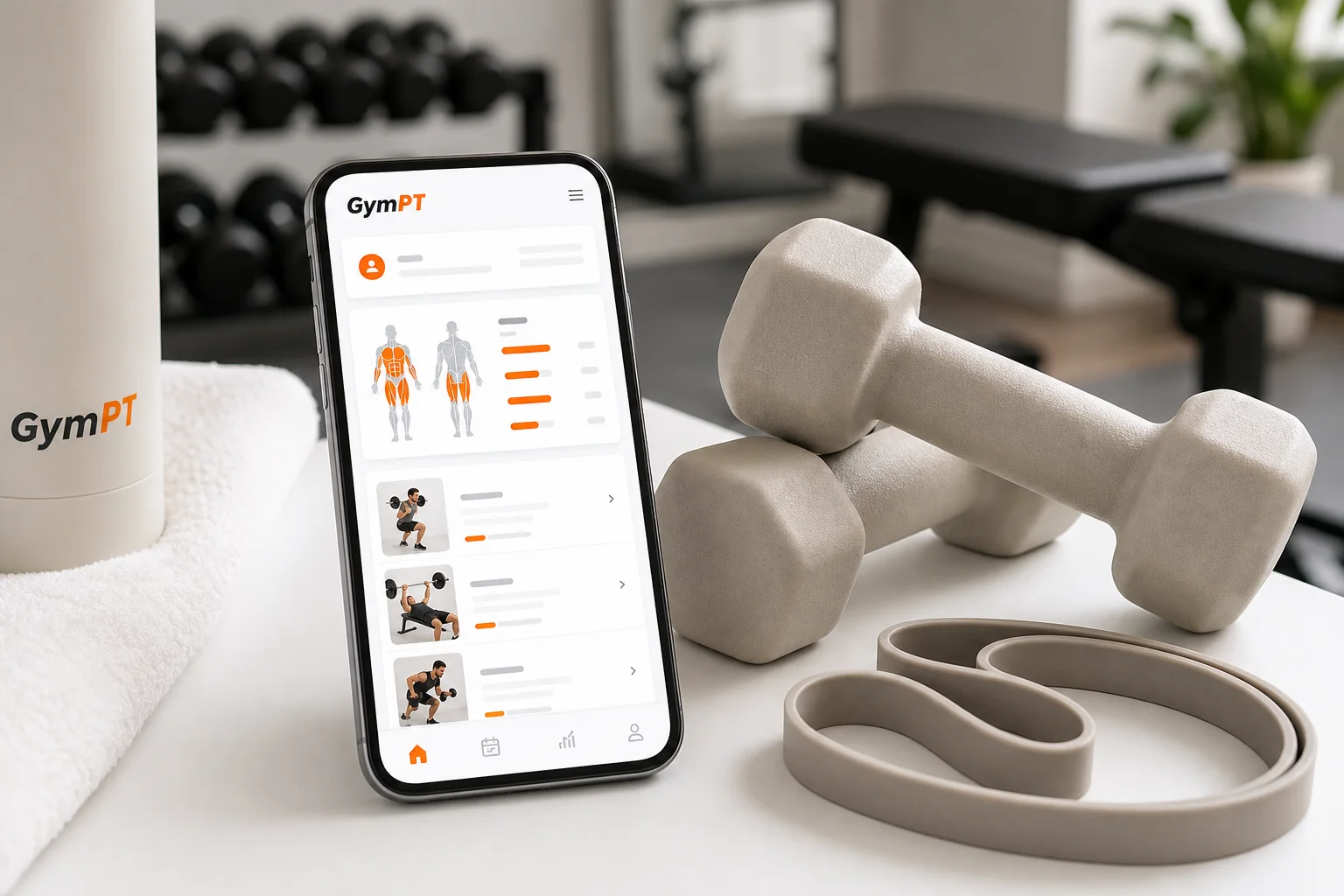
GymPT is designed for people who want more than a one-time routine. You can use it to create personalized workout plans around your goals, experience, schedule, and available equipment. During training, workout tracking helps you record what you actually completed, while progress insights make it easier to understand how your routine is developing.
GymPT also combines AI coach chat with body analysis features, giving you additional context when planning and reviewing your workouts. The purpose is not to make training unnecessarily complex. It is to connect planning, coaching, logging, and adjustment in one place.
If you train with changing equipment, the Equipment Based Workout Plans guide can help you think through how your setup should influence exercise selection. If you prefer to organize your week around a specific structure, explore the Weekly Workout Planner.
The bottom line
The best custom workout app is not the one with the longest exercise library or the most impressive dashboard. It is the one that gives you a realistic plan, adapts to your circumstances, explains the next step, and makes consistent training easier.
Before choosing, test the fundamentals: meaningful personalization, equipment matching, flexible scheduling, progression guidance, simple tracking, and useful feedback. If those pieces work together, an app can be far more practical than a static PDF plan—especially when your real life does not follow a perfect schedule.