AI weekly workout planner
AI Weekly Workout Planner: How to Build a Smarter Training Week
An AI weekly workout planner can turn a vague fitness goal into a practical training week. Learn what it should consider, how to use it safely, and how GymPT can help.
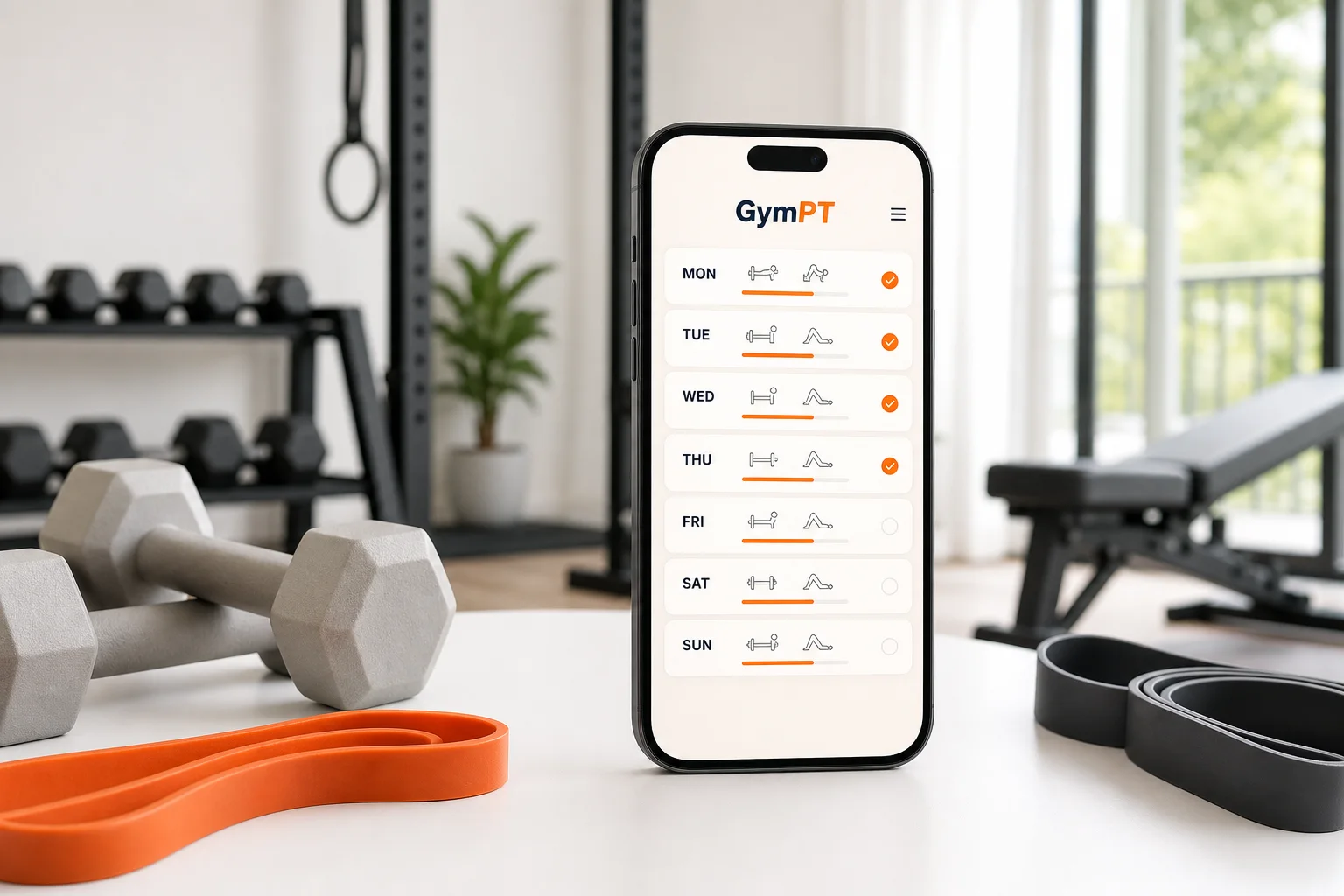
An AI weekly workout planner can help turn a fitness goal into a training schedule you can actually follow. Instead of choosing random workouts each day, you can organize strength sessions, cardio, mobility, rest, and progression around your available time and equipment.
That does not mean an AI plan should blindly decide everything for you. The best approach combines useful automation with human judgment: clear goals, realistic scheduling, appropriate exercise choices, honest workout feedback, and adjustments when your energy or circumstances change.
What is an AI weekly workout planner?
An AI weekly workout planner is a digital training tool that uses information about your goals, experience, schedule, equipment, and preferences to suggest workouts across a seven-day period. More capable systems can also use your completed sessions and feedback to make future recommendations more relevant.
A weekly plan is more than a list of exercises. It should answer practical questions such as:
- How many days can you train consistently?
- Which muscle groups or movement patterns should be trained each day?
- How much recovery should separate demanding sessions?
- What can you do when you only have dumbbells, resistance bands, or body weight?
- How should the session change if you miss a day or feel unusually fatigued?
- How will you gradually make training more challenging?
This is where AI can be useful. It can organize many variables quickly, while you remain responsible for communicating how training feels and stopping any exercise that causes sharp or concerning pain.
Why planning the whole week works better than choosing workouts randomly
Random workouts may feel productive, but they often create avoidable problems. You might train the same movement repeatedly, neglect certain muscle groups, schedule hard sessions on consecutive days, or choose workouts that do not match the equipment available.
A weekly structure gives your training a logical rhythm. For example, a beginner might use three full-body sessions separated by easier activity days. Someone with more experience might prefer an upper-lower split, while a person with limited time could use two efficient full-body workouts.
There is no single perfect schedule. The right structure is the one that balances your goal with your recovery, responsibilities, and ability to repeat it. Current public-health guidance recommends that adults include muscle-strengthening activity for all major muscle groups on at least two days per week. It also emphasizes that some activity is better than none, which supports building a plan you can sustain rather than chasing an unnecessarily complicated routine.
For more examples of weekly structures, see this guide to a 2 Day Full Body Workout Plan or explore how to create a 4 Day Upper Lower Workout Plan.
What a good AI workout planner should consider
1. Your primary goal
Strength, muscle gain, general fitness, fat loss, endurance, and improved movement can all influence the design of a workout week. The goal affects exercise selection, repetitions, rest periods, session length, and how progression is handled.
A useful planner should not treat every goal as identical. A strength-focused week may prioritize fewer key lifts and longer rest periods. A general fitness plan may use a wider mix of resistance training and conditioning. A muscle-building plan may distribute enough weekly work across relevant muscle groups without making every session exhausting.
2. Your current experience
A beginner usually benefits from learning basic movement patterns, practicing technique, and using manageable training volumes. An experienced lifter may need more specific progression, exercise variation, or a carefully balanced split.
More exercises are not automatically better. Recent resistance-training guidance from the American College of Sports Medicine emphasizes consistency and individualized training over unnecessary complexity for healthy adults. An AI planner should therefore make the plan easier to follow, not make it look impressive through constant novelty.
3. Your available equipment
A plan should match the tools you genuinely have. A home workout may rely on body-weight movements, bands, adjustable dumbbells, or a bench. A commercial gym plan can use cables, machines, barbells, and a broader range of loading options.
Equipment-based planning is especially helpful when your environment changes. If a cable station is occupied or you are traveling, a good system should offer a practical alternative that trains a similar movement pattern rather than leaving you without a session.
4. Your time and schedule
A 25-minute workout that fits your calendar is often more valuable than a 75-minute workout you repeatedly skip. Tell the planner how many days you can train and how long each session can last. Then assess whether the schedule still feels realistic after work, family commitments, commuting, or other activities.
5. Recovery and training load
Training stress is not limited to the workout itself. Sleep, work demands, sports, travel, and previous soreness can all affect how ready you are to train. A weekly planner should leave room for easier days and avoid treating every session as a maximum-effort test.
Recovery does not require complete inactivity. Walking, light mobility work, or an easy cardio session can be appropriate between harder workouts, depending on your experience and goals. The key is matching the intensity to your current readiness.
How to use an AI weekly workout planner safely
Start with accurate inputs
AI recommendations are only as useful as the information behind them. Be specific about your goal, training experience, available equipment, preferred activities, session duration, and weekly availability. If you have a movement limitation or an exercise you cannot perform comfortably, include that information.
Do not exaggerate your experience or available time to receive a more advanced plan. A realistic starting point produces better training decisions than an ambitious schedule that collapses after one week.
Review the plan before you begin
Look at the full week, not just the next workout. Check whether demanding sessions are placed too close together, whether the plan includes all major movement patterns, and whether the total workload seems appropriate for your current level.
Every exercise should be understandable. If you are unsure how to perform a movement, choose a simpler variation, review reliable instruction, or ask a qualified fitness professional. AI can organize a plan, but it cannot physically observe every repetition or guarantee perfect technique.
Use feedback to guide adjustments
After each session, record what you completed, how difficult it felt, and whether anything caused discomfort. This information makes future planning more useful and helps you identify patterns.
If a session consistently takes too long, the plan may need fewer exercises. If you are recovering well and completing every set comfortably, a gradual progression may be appropriate. If you feel unusually tired, reducing volume or choosing a lighter session may be wiser than forcing the original plan.
Know when not to rely on an app
An AI fitness tool is not a medical professional and should not diagnose injuries, prescribe treatment, or replace individualized care. Stop an exercise if you experience sharp pain, sudden dizziness, chest discomfort, or another concerning symptom, and seek appropriate professional advice.
People who are pregnant, returning from an injury, managing a health condition, or unsure whether a particular type of exercise is appropriate should obtain guidance from a qualified healthcare or exercise professional before changing their training.
Example: a simple AI-planned training week
Here is an example of how a planner might organize a general strength and fitness week for someone with three available training days:
- Monday — Full-body strength: squat pattern, horizontal push, row, hip hinge, and core work.
- Tuesday — Easy movement: walking, gentle mobility, or another low-intensity activity.
- Wednesday — Full-body strength: lunge pattern, overhead push, vertical pull or alternative, posterior-chain work, and core work.
- Thursday — Rest or light activity: keep the effort easy and prioritize recovery.
- Friday — Full-body strength: repeat key patterns with suitable exercise variations and manageable progression.
- Saturday — Optional cardio or recreational activity: choose an intensity that does not interfere with recovery.
- Sunday — Rest and review: check your logs and prepare for the next week.
This is only a framework, not a prescription. The exact exercises, sets, repetitions, and progression should reflect your experience, equipment, and goals. Someone who can train only twice per week may get better results from two full-body sessions than from trying to squeeze a five-day split into an inconsistent schedule.
How GymPT can support your weekly planning
GymPT is designed to make personalized training easier to organize and easier to adjust. You can use it to create workout plans around your goals, experience, schedule, and equipment instead of starting with a generic routine.
- Personalized workout planning: build a weekly structure that reflects how often you can realistically train.
- AI coach chat: ask practical questions about exercise substitutions, session structure, or how to approach a workout.
- Equipment-based training: receive exercise ideas that fit the tools available at home or in the gym.
- Workout tracking: log completed sessions so your training history is easier to understand.
- Progress insights: review patterns in consistency and performance instead of relying only on how one workout felt.
- Body analysis features: use available measurements and observations as context, not as a promise of a particular physical outcome.
If you are comparing different tools, this guide to a workout app with an AI coach explains what helpful coaching support should look like. You can also learn what to look for in a adaptive fitness program app before choosing one.
Questions to ask before accepting an AI-generated plan
- Does the plan match my actual schedule?
- Can I perform every exercise with the equipment I have?
- Is the weekly workload reasonable for my current experience?
- Are hard sessions separated by enough recovery?
- Does the plan include a clear way to progress gradually?
- Can I modify an exercise if it feels unsuitable?
- Does the app let me record what I actually completed?
- Does it explain its recommendations clearly instead of presenting them as unquestionable instructions?
The best planner is the one you can use consistently
An AI weekly workout planner should reduce decision fatigue, not remove your judgment. It can help coordinate exercises, equipment, time, recovery, and progression, but you still need to provide honest feedback and pay attention to how your body responds.
Start with a manageable week. Follow it long enough to collect useful information. Track your sessions, adjust when your circumstances change, and increase difficulty gradually. With that approach, AI becomes a practical planning assistant—and GymPT can help connect your weekly schedule with coaching support, workout tracking, and progress insights.