gym program maker app
Gym Program Maker App: How to Choose One That Builds a Better Routine
A gym program maker app should do more than list exercises. Learn how to compare personalization, progression, equipment support, coaching, and tracking features—with GymPT as a practical example.
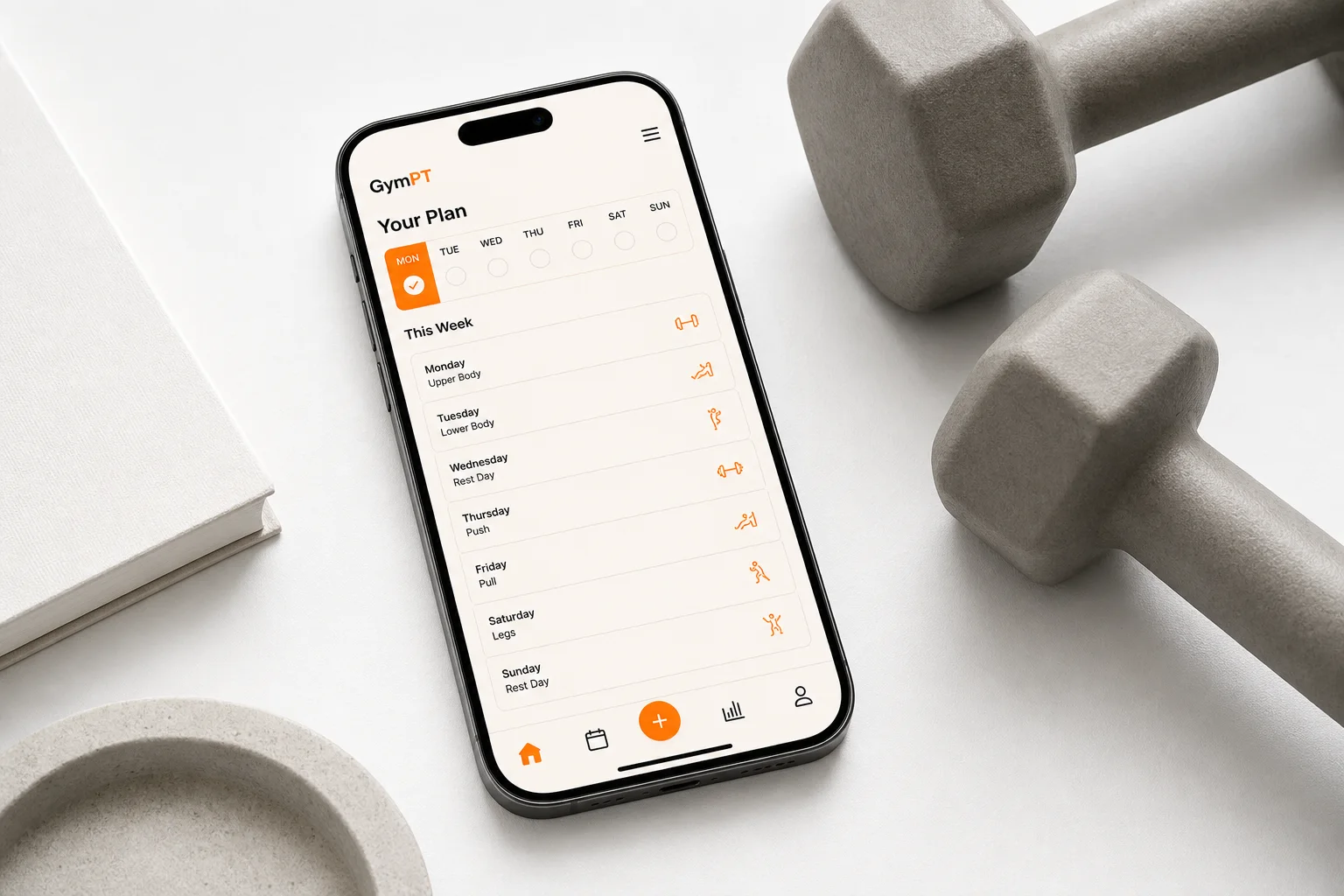
Choosing a gym program maker app can feel surprisingly difficult. Many apps promise personalized workouts, but the actual experience may be little more than a static exercise list, a timer, or a collection of routines that does not change when your schedule, equipment, or goals change.
The best option is not necessarily the app with the most exercises or the most advanced-looking interface. It is the one that helps you make sensible training decisions, follow a realistic routine, record what you do, and adjust over time. Research-backed training guidance consistently points to a few fundamentals: regular resistance training, gradual progression, appropriate recovery, and a plan that fits the individual.
Here is what to look for when comparing a custom gym workout app, including how GymPT can fit into the process.
What should a gym program maker app actually do?
A useful app should turn your answers into a practical training structure. That means considering more than your preferred goal. It should also account for your experience, available days, session length, equipment, exercise preferences, and any movements you want to avoid.
For example, a three-day plan for a beginner with access to machines should not look identical to a five-day plan for an experienced lifter training with barbells and cables. Both users may select “build muscle,” but their training needs are different.
Look for an app that can help with these basic decisions:
- How many days per week should you train?
- Which muscle groups or movement patterns should each session cover?
- What exercises are realistic with your equipment?
- How much volume and recovery can your schedule support?
- How will the plan progress as your performance improves?
GymPT is designed around this broader planning process. You can use it to create personalized workout plans, choose equipment-based training, chat with an AI coach, analyze body measurements or images for fitness context, and track completed workouts and progress insights.
8 features that separate a useful app from a generic routine
1. Goal-based program design
A quality personalized workout planner should distinguish between different outcomes. Strength, muscle growth, general fitness, fat loss support, mobility, and conditioning can use overlapping exercises, but the weekly structure and progression priorities may differ.
For strength, the plan may emphasize heavier sets, longer rest periods, and consistent practice of compound movements. For muscle growth, weekly training volume and exercise coverage become especially important. For general fitness, a balanced mix of resistance training and cardiovascular activity may be more appropriate.
The app does not need to make the plan complicated. In fact, current resistance-training guidance emphasizes that consistency matters more than unnecessary complexity for most healthy adults. The important point is that the routine should have a clear reason behind its exercise selection and schedule.
2. Personalization beyond your stated goal
“I want to gain muscle” is useful information, but it is not enough to build a practical plan. A better app also asks about your training experience, schedule, preferred session duration, and access to equipment.
Personalization should also be visible in the output. If you only have two days available, the app should not repeatedly suggest a six-day split. If you train at home, it should not depend on equipment you do not own. If a movement is uncomfortable or unsuitable for your setup, you should have a clear way to modify it.
GymPT can use your stated goals and training context to create a plan that is more relevant to the way you actually train. This is valuable because the most effective routine is usually the one you can perform consistently—not the one that looks most impressive on paper.
3. Equipment-aware exercise selection
Equipment support is one of the most practical features to check. A gym program maker app should understand the difference between a fully equipped gym, a small apartment setup, a home gym with adjustable dumbbells, and bodyweight-only training.
Good equipment-based planning reduces friction. You spend less time replacing exercises manually and less time wondering whether a suggested movement is possible. It can also help you make the most of what you already have instead of assuming that progress requires more equipment.
When comparing apps, check whether equipment is considered during the initial plan creation and whether it remains easy to update later. Your training environment may change, and the app should be flexible enough to change with it.
4. Progression that is understandable
A routine is not truly personalized if it never explains what happens next. Progression might involve adding a small amount of weight, completing an extra repetition, increasing sets, improving technique, or choosing a more challenging variation.
The exact method depends on the exercise and goal, but the principle is simple: your training should gradually provide an appropriate challenge. A useful app should make that process visible without burying you in technical detail.
Look for features such as:
- Suggested repetition ranges
- Set and load history
- Notes about perceived difficulty
- Exercise substitutions when needed
- Plan updates based on completed sessions
GymPT combines workout planning with tracking and progress insights, so your completed sessions can become useful information for future training decisions.
5. AI coach chat with practical answers
An AI coach can be helpful when it acts like a planning assistant rather than a source of vague motivation. You may want to ask what to do if you miss a session, how to adapt a workout when equipment is unavailable, or how to organize your week around limited time.
The quality of the experience depends on whether the coach has enough context. Advice is more useful when it relates to your current plan, recent workouts, goals, and available equipment. It should also communicate uncertainty appropriately and avoid presenting fitness guidance as medical diagnosis or treatment.
GymPT’s AI coach chat gives you a way to ask training questions while keeping the conversation connected to your fitness planning experience. For complex pain, injury, or health concerns, consult an appropriately qualified healthcare professional instead of relying on an app.
6. Body analysis used responsibly
Some fitness apps offer body analysis through measurements, photos, or other inputs. This can help users understand starting context and notice changes over time, but it should be treated as an estimate and a planning aid—not as a definitive judgment about health, body composition, or worth.
Before choosing an app with body analysis, consider how clearly it explains what the feature does, what information it uses, and how you can control your data. Avoid platforms that make guaranteed transformation claims or encourage you to judge progress from a single measurement.
A more balanced approach combines several signals: workout consistency, strength or repetition trends, energy, performance, measurements, and how well the plan fits your life.
7. Fast, reliable workout tracking
Tracking should make training easier, not turn every session into an administrative task. At minimum, you should be able to record exercises, sets, repetitions, loads, and notes quickly.
Reliable logging helps you answer important questions. Are you repeating the same weights without progress? Are some exercises consistently too difficult? Are you skipping a particular session because it takes too long? Are you training one muscle group much more often than another?
These patterns are difficult to remember accurately. A workout tracking feature gives you a record you can use to make better decisions instead of relying on memory or guesswork.
8. Progress insights that show more than a streak
Streaks can be motivating, but they do not tell the whole story. A meaningful progress dashboard should help you see trends such as completed sessions, training frequency, exercise performance, and changes in volume over time.
Insights should support reflection rather than create pressure. Missing one workout does not erase your progress, and a heavier number is not always the right goal if technique or recovery is suffering. The best app gives you enough information to adjust intelligently while keeping the experience straightforward.
How to compare gym program maker apps before you commit
Use a short trial period to test the complete experience, not just the onboarding screen. Create a plan, complete or simulate a workout, change your available equipment, and see how easily the app responds.
- Test the plan quality: Does the weekly routine match your goal, schedule, and experience?
- Check exercise substitutions: Can you replace a movement without rebuilding the entire program?
- Review progression: Does the app show how to make training more challenging over time?
- Log a real session: Is tracking quick enough to use between sets?
- Ask the coach a specific question: Does the answer reflect your actual plan and context?
- Inspect privacy information: If the app handles personal fitness or body data, make sure its data practices are understandable.
You can also compare the app with a best workout planner app feature checklist to make sure you are evaluating the fundamentals rather than being distracted by novelty.
Why flexibility matters more than a perfect first plan
Your first plan will rarely be perfect. You may discover that four sessions per week are unrealistic, that a particular exercise does not suit your gym, or that your recovery is better with more rest between sessions.
That is normal. A strong app should make adjustment simple. It should help you reduce a session, change equipment, move workouts around, or choose an alternative exercise without losing the overall structure.
If you train at home some days, compare your options with this guide to an AI workout planner without equipment. If your priority is organizing your week, an AI weekly workout planner can offer a useful framework for balancing training and recovery.
GymPT as a practical choice
GymPT brings the main pieces of a modern fitness planning experience into one app: personalized workout plans, equipment-based exercise selection, AI coach chat, body analysis, workout tracking, and progress insights.
That combination is useful because planning and follow-through are connected. A plan tells you what to do, but tracking tells you what actually happened. Coach chat can help you work through questions, while progress insights can show whether your routine is becoming more consistent and appropriately challenging.
GymPT is not a replacement for a healthcare professional, and no app can guarantee a specific result. It is a practical fitness guidance tool for people who want more structure than a random workout list and more flexibility than a fixed program.
Final checklist
Before choosing a gym program maker app, make sure it can:
- Build a routine around your goal and available training days
- Adapt exercise selection to your equipment
- Offer clear, manageable progression
- Let you replace exercises when necessary
- Track completed workouts and performance
- Provide useful coaching in context
- Show meaningful progress trends
- Explain how it handles personal data
The right app should reduce decision fatigue while helping you stay involved in your training. If you want one place to plan, ask questions, log workouts, and review progress, GymPT is built to support that process.