custom fitness plan app
How to Choose a Custom Fitness Plan App That Actually Fits Your Life
A custom fitness plan app should do more than generate random workouts. Learn which features matter, how to evaluate personalization, and how GymPT can help you train with a plan built around your goals, schedule, equipment, and progress.
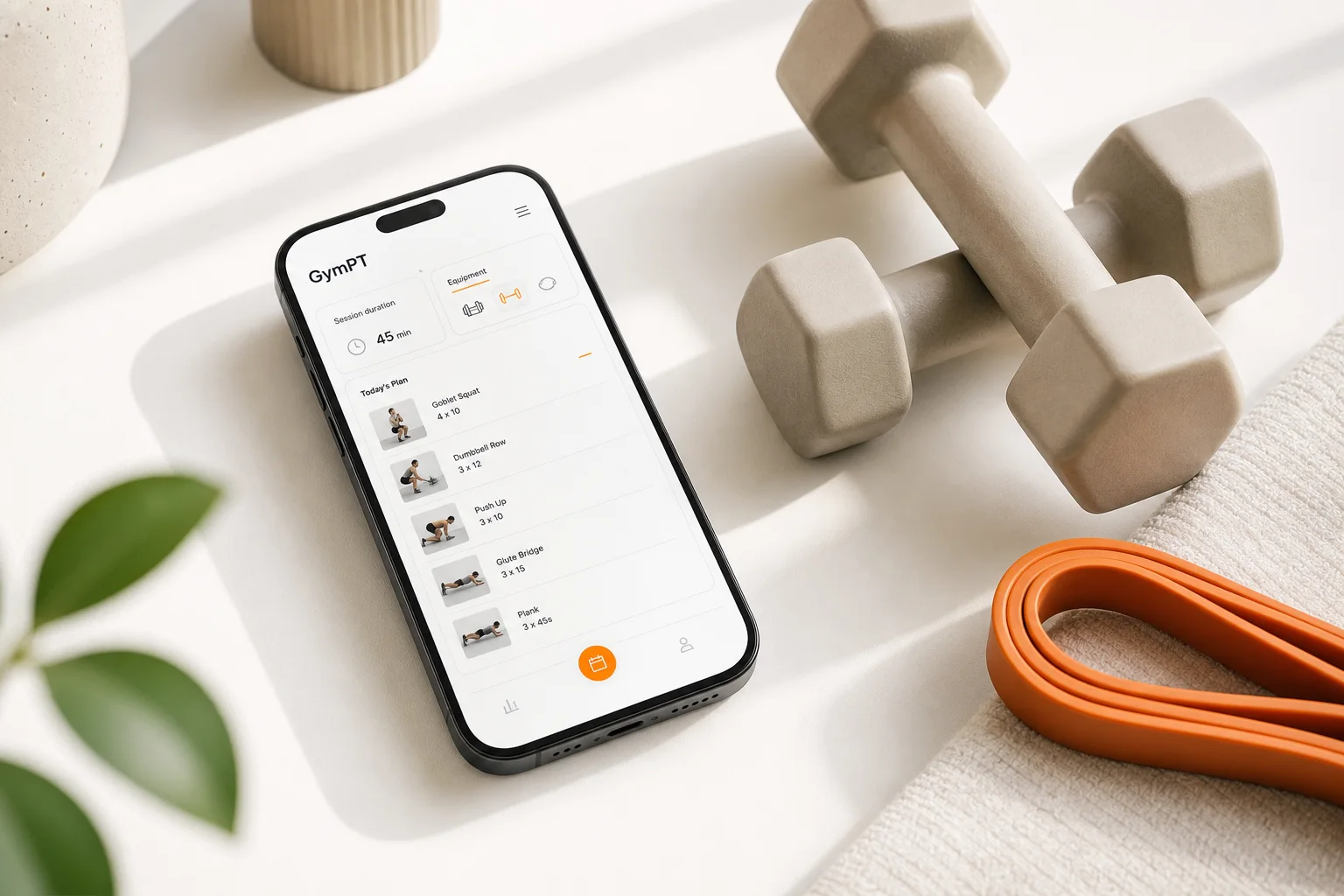
Finding a custom fitness plan app is easy. Finding one that gives you a plan you can follow, understand, and adjust is much harder.
Many fitness apps offer workout libraries, timers, or generic routines. Those features can be useful, but they do not automatically create a personalized training experience. A genuinely useful app should account for your goal, experience, schedule, available equipment, and changing performance.
This guide explains what to look for before choosing a custom fitness plan app, which questions separate meaningful personalization from surface-level customization, and how GymPT can work as a practical AI personal trainer for everyday training.
What should a custom fitness plan app personalize?
Personalization should influence the structure of your training, not just the name of your program. Before choosing an app, check whether it considers the following factors.
Your primary training goal
A plan for building strength will not look exactly like a plan for muscle gain, general fitness, conditioning, or improving consistency. The exercises may overlap, but the priorities can differ: load, repetitions, rest periods, exercise order, weekly frequency, and progression strategy all matter.
A good app should ask what you want to achieve and use that information to shape the plan. If every user receives nearly the same routine regardless of their goal, the app is probably providing a template rather than true personalization.
Your training experience
Beginners often need clear exercise instructions, manageable session lengths, and a gradual introduction to training volume. More experienced lifters may want more exercise variety, structured progression, or greater control over weekly volume and intensity.
The best personalized workout app should meet you at your current level. It should not assume that a beginner already knows how to choose working weights, interpret fatigue, or replace an exercise safely.
Your schedule and recovery capacity
A theoretically excellent plan is not useful if it does not fit your week. Someone who can train twice per week needs a different structure from someone who has four or five available sessions. Session duration matters too.
Training frequency is a tool, not a fixed rule. Research on resistance training suggests that different frequencies can work, with the best choice often depending on how weekly work is distributed and what you can recover from consistently. A custom fitness plan app should help you make the available schedule productive rather than pushing an unrealistic routine.
Your equipment and training environment
Your plan should reflect what you can actually use. A home trainee with adjustable dumbbells, resistance bands, and a bench needs different exercise options from someone training in a fully equipped gym.
Equipment-based training also makes substitutions important. If a cable machine is unavailable, the app should help you find a suitable alternative that preserves the intended movement pattern and training goal.
Six features that matter in a custom fitness plan app
1. A clear onboarding process
Useful personalization begins with useful questions. Look for an app that asks about your goals, experience, training days, preferred session length, equipment, and limitations relevant to exercise selection.
Onboarding should not feel like a long survey with no visible consequence. The answers should clearly affect the plan you receive. If changing your available equipment does not change your exercise selection, the customization may be superficial.
2. Plans that explain the “why”
A list of exercises is not the same as coaching. You should be able to understand what each session is designed to accomplish and how the exercises fit together.
For example, a session may begin with a demanding compound movement, continue with supporting exercises, and finish with targeted work. That order can help you manage fatigue and focus your effort where it matters most. An app that explains training decisions makes it easier to stay consistent and make sensible adjustments.
3. Progressive overload without reckless jumps
Progressive overload means gradually increasing the training challenge over time. That may involve adding weight or repetitions, improving technique, increasing range of motion, or completing more quality work at a similar load.
Progression should be gradual and responsive. Adding weight every session regardless of performance is not always appropriate. A better AI workout planner should use your logged results and provide a realistic next step when you complete the prescribed work.
Evidence indicates that resistance-training volume can contribute to muscle growth, but more is not automatically better. Higher workloads can bring diminishing returns, especially when they reduce recovery or make the plan difficult to sustain. Your app should help you find a productive amount of training rather than rewarding volume for its own sake.
4. Exercise substitutions that preserve the goal
Real training involves interruptions. Equipment may be busy, a movement may feel awkward, or you may prefer a different variation. A flexible app should let you replace an exercise while keeping the session’s purpose intact.
Good substitutions are not chosen only because they look similar. They should consider the movement pattern, primary muscles, available equipment, difficulty, and your experience level. This is where AI coach chat can be especially useful: you can ask why an alternative was selected and how to perform it.
5. Workout tracking and useful feedback
Tracking is valuable when it helps you make decisions. At a minimum, look for logging of exercises, sets, repetitions, load, and completed sessions. Better systems also help you review trends across time.
Progress insights can reveal patterns that are easy to miss. You may be adding repetitions on one exercise, repeatedly missing a target on another, or completing fewer sessions than planned. These signals can guide adjustments to exercise selection, session length, recovery expectations, or weekly structure.
For a deeper look at what to record, read Workout Progress Tracking: How to Log Training and See Real Results.
6. Adaptation when your circumstances change
A static plan can become unsuitable when your schedule, equipment, energy, or goals change. A custom fitness plan app should make it easy to adjust rather than forcing you to start over.
Adaptation does not mean changing the workout randomly every time. It means preserving the overall training direction while modifying practical details. A shorter session, an equipment substitution, or a lower-volume week can keep you moving forward when your normal routine is not possible.
How GymPT approaches personalized training
GymPT is designed to combine structured planning with practical flexibility. Instead of treating personalization as a one-time questionnaire, it brings several parts of the training process together:
- Personalized workout plans: Build training around your goals, experience, schedule, and preferences.
- Equipment-based training: Choose exercises that match the equipment you have available.
- AI coach chat: Ask questions about exercise choices, substitutions, progression, and how to approach a session.
- Body analysis: Use visual information as one input for understanding your starting point and training direction, without treating appearance as the only measure of progress.
- Workout tracking: Log completed work so future decisions are based on your training history.
- Progress insights: Review patterns over time instead of judging your progress from a single workout.
The practical benefit is continuity. Your plan, coaching questions, logged sessions, and progress review can support one training process rather than living in separate tools.
Questions to ask before downloading an app
Use this checklist when comparing apps:
- Does it build around my actual goal? Look for meaningful differences between strength, muscle gain, general fitness, and consistency-focused plans.
- Can I select my equipment? Confirm that the app supports your real training environment.
- Can I choose how often I train? A good plan should fit your available days instead of assuming a fixed schedule.
- Does it track performance? Check whether you can record sets, repetitions, load, and completed sessions.
- Can I ask questions? Coaching support is useful when you are unsure about technique, substitutions, or progression.
- Does it adapt over time? A plan should respond to your results and changing circumstances.
- Is the guidance understandable? Clear instructions and explanations are more useful than impressive-sounding promises.
What a realistic first month should look like
The first month with a custom fitness plan app should focus on establishing a repeatable routine, not chasing dramatic changes.
Week 1: Learn the system
Complete the onboarding process carefully, review each exercise, and choose loads that let you perform the prescribed repetitions with controlled technique. Your first goal is to understand the plan and create a reliable baseline.
Week 2: Improve consistency
Repeat the routine and log every session. Pay attention to exercise comfort, session length, and whether the plan fits your schedule. If something is impractical, use a substitution or ask the AI coach for help rather than silently skipping it.
Week 3: Review performance
Look for small improvements: more repetitions with the same load, better control, fewer missed sessions, or greater confidence with the movements. These are useful signs that the plan is becoming easier to follow.
Week 4: Make a measured adjustment
Use your training history to decide what should change. You may be ready for a small progression, a different exercise variation, or a schedule adjustment. Avoid changing everything at once; a clear plan makes it easier to identify what is working.
How to use an app without giving up judgment
An AI personal trainer can organize information and suggest practical next steps, but it should not replace your awareness. Pay attention to technique, unusual discomfort, recovery, and whether the workout is appropriate for your current circumstances.
Fitness apps are designed for training guidance, not medical diagnosis or treatment. If you have an injury, a health condition, or uncertainty about whether exercise is appropriate, seek advice from a qualified healthcare professional before relying on an app-based plan.
You can also compare training structures in How to Choose a Personalized Gym App That Fits Your Training or explore a beginner-friendly approach in AI Gym Plan for Beginners: A Safer, Smarter Way to Start Training.
The bottom line
The best custom fitness plan app is not the one with the most exercises or the most aggressive promises. It is the one that turns your goals, schedule, equipment, and training history into clear actions you can repeat.
Look for meaningful personalization, sensible progression, exercise substitutions, coaching support, and useful tracking. GymPT brings these features together in one AI-powered training experience so you can spend less time guessing and more time following a plan that fits your life.
If you are deciding how many days to train, see 5 Day Gym Workout Plan: How to Build a Week That Works for another practical way to structure your week.