workout app with equipment scan
Workout App With Equipment Scan: Build a Smarter Gym Routine
A workout app with equipment scan can help you train with the equipment you actually have. Learn how the feature works, where it helps, and what to check before every session.
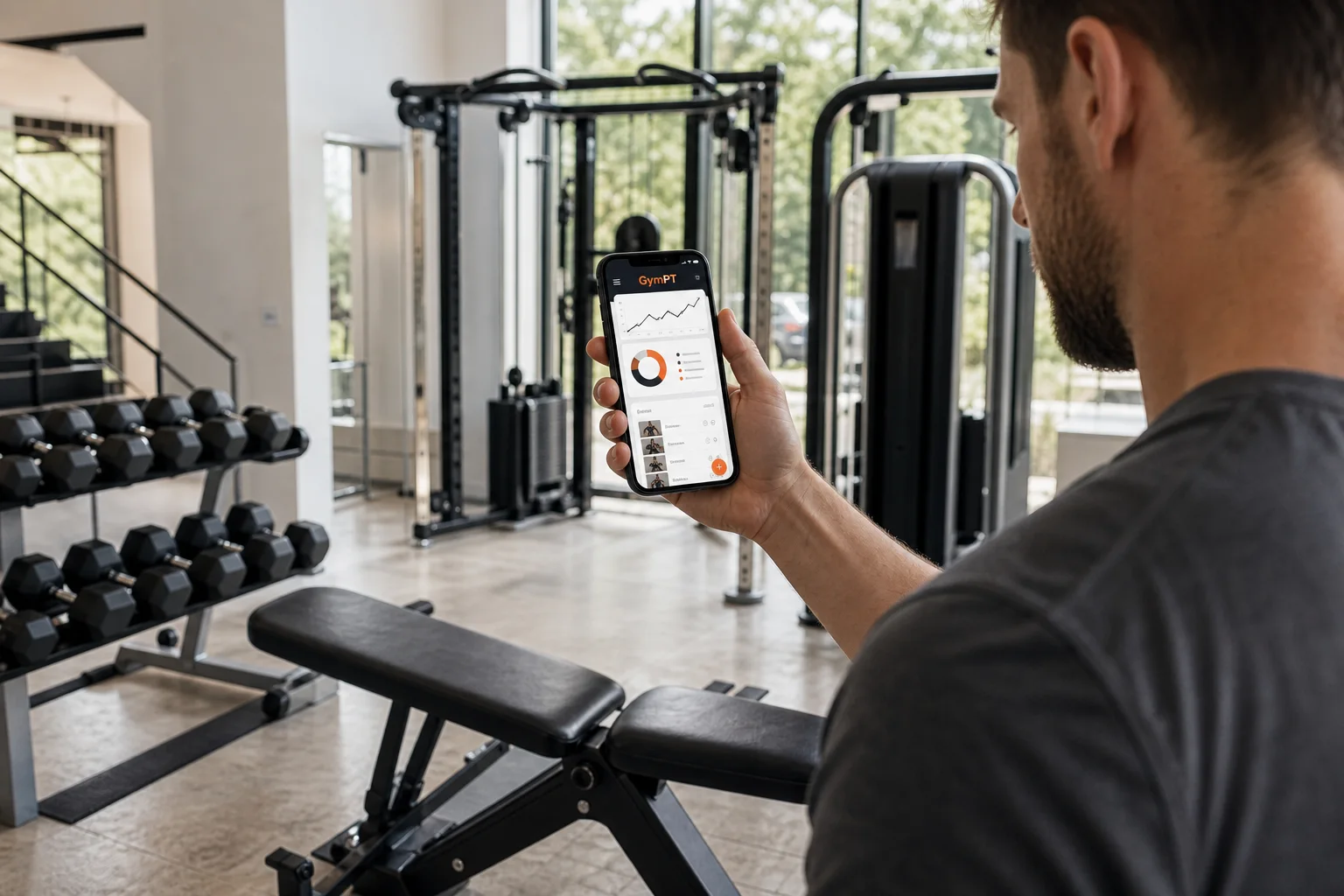
Walking into a gym can create an unexpected problem: too many choices. There may be benches, cables, machines, dumbbells, racks, and cardio equipment, but knowing how to turn that inventory into a balanced workout is not always obvious.
A workout app with equipment scan is designed to make that first step easier. Instead of building a plan around equipment you do not have, the app can help you identify the tools available in your training space and use that information as a starting point for a more practical routine.
The important distinction is that an equipment scan should support your decisions, not replace them. You still need to confirm what the app recognizes, choose appropriate settings, and adjust the workout based on your experience, comfort, and goals. Used that way, the feature can reduce guesswork and make a gym plan easier to follow.
What is a workout app with equipment scan?
A workout app with equipment scan uses your phone camera or an in-app equipment selection process to help create a record of the training tools around you. Depending on the app, this may include dumbbells, benches, cable stations, resistance machines, barbells, or other common gym equipment.
The goal is simple: connect your available equipment to a workout plan. Rather than receiving a generic list of exercises, you can begin with a more realistic question: What can I train with today?
In GymPT, equipment information can be used alongside your goals, training experience, schedule, and preferred workout style. That creates a more useful planning process than treating every gym as if it contains the same machines and weights.
What the scan can and cannot do
- It can help identify available training options. A scan or equipment list gives the app more context about your gym setup.
- It can help reduce unsuitable exercise suggestions. If you only have dumbbells and a bench, your plan should not depend on a specialized machine.
- It can support exercise substitutions. When a preferred station is occupied, another movement using available equipment may work as an alternative.
- It cannot judge every training detail perfectly. The app may not know the exact weight, seat position, cable height, or condition of a piece of equipment.
- It does not replace technique or judgment. You should confirm the equipment, select a manageable load, and stop an exercise if it causes sharp or unusual discomfort.
A real gym scenario: using an equipment scan before training
Imagine arriving at the gym for an upper-body session. You have 45 minutes, your goal is general strength and muscle development, and the bench press area is crowded. You do have access to adjustable dumbbells, a cable station, a seated row machine, and a pull-down station.
Without any planning support, you might spend several minutes walking around, choose random exercises, or abandon part of the session when equipment is unavailable. That is where an equipment-aware app can be useful.
- Capture the available equipment. You scan the training area or add the equipment that is available. This gives the app a practical inventory to work from.
- Review and confirm the results. Check whether the app identified the equipment correctly. Add missing items and remove anything that is not actually available.
- Set the workout context. Enter your training goal, time limit, experience level, and any preferences that affect exercise selection.
- Review the suggested session. A realistic plan might include a dumbbell press, a seated row, a pull-down, a cable press or fly, and a dumbbell shoulder exercise.
- Make the final adjustments. If a station is occupied, select a suggested alternative. If an exercise feels too technically demanding, choose a simpler option and use a conservative load.
- Track what you complete. Record sets, repetitions, loads, and notes so future sessions can reflect what actually happened.
The scan is helpful because it narrows the decision-making problem. It does not mean the app automatically understands every detail of your gym or creates a perfect plan without review.
Why equipment-aware planning can make workouts more practical
1. It connects your plan to your real environment
One of the biggest weaknesses of a generic workout is that it may assume access to equipment you cannot use. A plan built around your actual gym is more likely to be completed as written, especially when you train in a home gym, a hotel gym, or a facility with limited machines.
Research on resistance training also suggests that beginners can make progress with different equipment types, including machines, free weights, and combinations of both. The most useful choice is often the one you can use consistently and perform with appropriate control.
2. It makes substitutions easier
Equipment availability changes from session to session. A cable station may be occupied, a machine may be out of service, or the dumbbells you need may already be in use.
An equipment-based workout app can help you think in movement patterns rather than single exercises. For example, a horizontal pressing movement could be performed with dumbbells, a machine, or cables depending on what is available and appropriate for you that day.
3. It can reduce decision fatigue
A busy gym already requires many small decisions: where to start, which weight to choose, how long to rest, and what to do next. A plan that reflects your equipment gives you a clearer sequence and lets you spend more attention on quality repetitions.
4. It creates better training records
Tracking is more useful when your records reflect the equipment you actually used. Over time, you can compare progress on specific machines, dumbbell movements, cable exercises, or bodyweight variations. Those trends can help you and your coach-style app make better decisions about progression and exercise changes.
How to get better results from an equipment scan
Scan carefully, then confirm manually
Good lighting and clear views can help, but no camera-based feature should be treated as infallible. Review the detected equipment before beginning your workout. A squat rack, cable station, and Smith-style machine may look similar from certain angles, yet they can support different exercise choices.
If the app is unsure, manual confirmation is the better option. Spending an extra minute correcting your equipment list can prevent several unsuitable suggestions later.
Include the details that matter most
An equipment list is only one part of the training picture. When possible, also consider:
- The maximum dumbbell or plate weight available
- Whether a bench can be adjusted
- Which cable attachments are present
- Whether you have access to a rack or pull-up bar
- How much space you have for standing movements
- Which equipment is available consistently versus occasionally
These details help turn a broad equipment inventory into a more usable plan.
Match the exercise difficulty to your experience
Equipment does not automatically make an exercise easy or appropriate. A machine may reduce balance demands, while a free-weight variation may require more coordination. Expert consensus research on resistance exercise selection supports starting beginners with movements that have manageable technical demands and progressing as their skill improves.
If you are new to strength training, prioritize stable, easy-to-learn exercises before adding more complex movements. If you already train regularly, the app can help you organize a wider range of variations while you remain responsible for choosing sensible loads and technique standards.
Use the scan as a starting point, not a final answer
Your energy, time, recovery, and gym conditions can change. A good training app should make adjustments easier rather than forcing you to follow a rigid list. GymPT can help you review your plan, chat through questions, track completed work, and use progress information to guide future sessions.
What to look for in an equipment-based workout app
If you are comparing apps, look beyond the scanning feature itself. The most useful experience usually combines equipment awareness with personalization, tracking, and practical coaching support.
- Equipment confirmation: Can you edit the scan or manually add and remove items?
- Exercise substitutions: Can the app offer another movement when equipment is unavailable?
- Goal-based planning: Does it account for strength, muscle building, general fitness, or another training objective?
- Time flexibility: Can you create a shorter session when your schedule changes?
- Workout tracking: Can you record sets, repetitions, loads, and notes?
- Progress insights: Does the app help you understand consistency and performance trends?
- Coach interaction: Can you ask questions when a recommendation needs clarification?
For more context on what makes a plan usable, read this guide to the features of a practical fitness program builder app. If exercise demonstrations and movement options are important to you, this overview of a fitness app with an exercise library can also help.
Is an equipment scan worth using?
An equipment scan is most valuable when it removes friction between planning and training. It can help you start with the gym you actually use, create more realistic exercise options, and adapt when your usual station is unavailable.
It is less useful when treated as a magic shortcut. You still need to verify the equipment, choose appropriate resistance, learn the movement, and pay attention to how the session feels. Technology can organize information, but consistent training depends on sensible programming and follow-through.
GymPT brings equipment-based planning together with personalized workouts, AI coach chat, workout tracking, body analysis, and progress insights. If you train with dumbbells at home, you may also benefit from this practical AI workout planner with dumbbells. For a broader approach to building your first routine, explore this beginner workout generator guide.
The best equipment-aware workout plan is not the one with the most exercises. It is the one that fits your available tools, your ability, your schedule, and your next realistic step.